
Desktop Application Development Services USA
clickmasters provides desktop application development services in the USA for businesses that need secure, high-performance software designed to run reliably across desktop environments. We develop custom desktop applications around specific workflows, users, integrations, hardware requirements and operational needs.
As a desktop application development company, clickmasters supports new desktop software projects as well as existing applications that require modernization, integration, performance improvements or continued maintenance.
Our desktop application development agency can support the complete lifecycle—from requirements analysis and architecture through UI/UX design, engineering, QA, deployment and ongoing support.
Desktop development is part of our broader custom application development services, allowing us to build software around requirements that standard off-the-shelf products cannot address effectively.
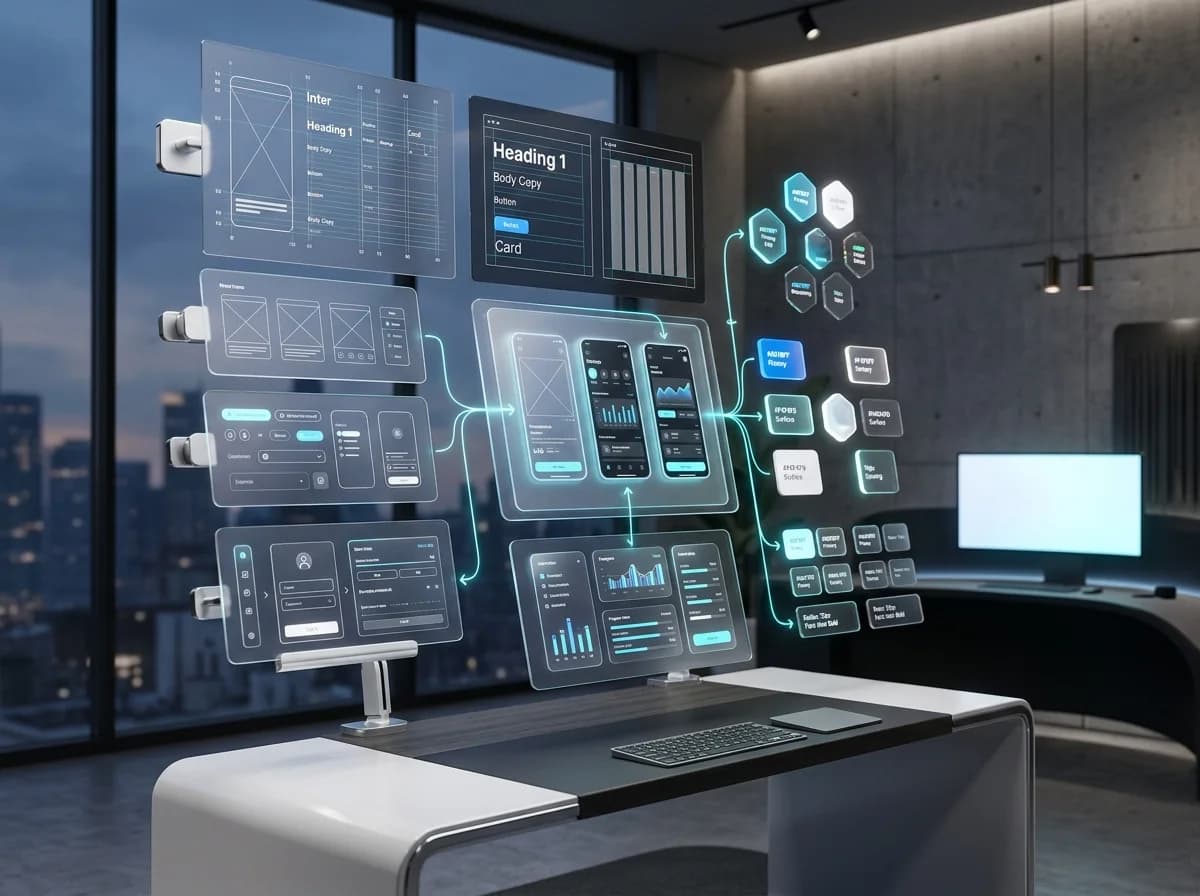
Desktop Application Development Company for USA Businesses
Desktop applications remain an effective option when software requires strong local performance, offline functionality, direct access to hardware or deeper integration with a user's operating environment.
As a desktop application development company serving businesses across the USA, clickmasters develops software around the way an organization actually works.
Custom desktop applications can support:
Rather than starting with a fixed software template, we determine the application's functionality, architecture and technology according to the actual business requirement.
What Are Desktop Application Development Services?
Desktop application development services cover the planning, design, engineering, testing, deployment, modernization and maintenance of applications designed primarily to run on desktop operating systems such as Windows, macOS and Linux.
Desktop software can operate locally, communicate with remote servers, integrate with APIs and databases or combine local functionality with cloud-based services.
clickmasters provides these capabilities through an end-to-end desktop application development agency approach.
A complete desktop application development project can include:
Custom Desktop Application Development
Every organization has different desktop software requirements.
Our custom desktop application development services are designed for businesses that need functionality built around particular users, processes, systems or equipment.
Custom development gives businesses greater control over application functionality, integrations and future development.
Custom desktop applications can be especially useful when:
Desktop Applications We Develop
Windows Desktop Applications
We develop desktop applications for Windows environments where businesses require local software, enterprise workflows, device integration or Windows-specific functionality.
Depending on requirements, Windows desktop development can involve technologies within the Microsoft ecosystem as well as other native or cross-platform development approaches.
Windows applications may support:
macOS Desktop Applications
Desktop software for macOS can be designed around Apple desktop environments and user expectations.
A macOS application may be appropriate for organizations whose employees, customers or specialist users primarily operate within Apple's ecosystem.
Development decisions consider interface requirements, operating system compatibility, distribution, security and ongoing updates.
Linux Desktop Applications
Linux desktop development can support technical, engineering, industrial and specialist application environments.
Applications may be developed for specific Linux environments or as part of a broader cross-platform desktop application strategy.
Linux requirements are considered during architecture and technology selection rather than treated as an afterthought after a Windows application has already been built.
Cross-Platform Desktop Applications
When software needs to operate across Windows, macOS and Linux, a cross-platform development approach can reduce the need to maintain completely separate applications.
Cross-platform technologies can allow a shared application architecture while still supporting platform-specific functionality where required.
The correct approach depends on:
Cross-platform development is useful when multi-platform coverage provides greater value than maintaining several independent native codebases.
Standalone Desktop Applications
Standalone applications can operate primarily on a local machine without requiring continuous communication with external infrastructure.
This approach can be useful where:
Standalone software can still be designed to synchronize with external services when connectivity becomes available.
Client-Server and Cloud-Connected Desktop Applications
Desktop applications do not have to operate entirely offline.
A desktop client can connect with:
This allows businesses to combine the performance and operating-system access of desktop software with centralized data and cloud-based functionality.
Offline Desktop Application Development
Offline functionality is one of the strongest reasons to choose desktop software over a purely browser-based application.
Desktop applications can be designed to:
The synchronization architecture needs to account for data conflicts, security and connectivity conditions.
Hardware-Integrated Desktop Software
Desktop applications can communicate directly with hardware and peripherals where the business requirement demands it.
Potential integrations can include:
Hardware integration is particularly relevant for manufacturing, technical, healthcare, logistics and operational software.
Our related IoT development services can support broader connected-device requirements.
Desktop Application Integration Services
Modern desktop applications frequently need to exchange information with other systems.
clickmasters can design integrations involving:
Our API development services can support secure communication between desktop software and other platforms.
Well-designed integrations reduce manual data transfer and help desktop applications operate as part of a wider business technology ecosystem.
Desktop Application Database Development
Desktop applications may use local databases, remote databases or a combination of both.
Database architecture depends on:
Our database development services can support applications requiring structured data storage and reliable access.
Legacy Desktop Application Modernization
Businesses often approach a desktop application development company because an existing system has become difficult to maintain.
Legacy desktop applications can create issues such as:
clickmasters can assess whether an application should be:
Our legacy software modernization services provide a broader approach for organizations dealing with aging software systems.
Modernization should preserve valuable business functionality while addressing the technical limitations that are preventing the application from evolving.
Desktop Application UI/UX Design
Desktop applications often support complex workflows, detailed information and frequent use by employees or specialist users.
That makes interface design particularly important.
Our UI/UX design services can support:
The goal is to make complex functionality easier to understand and use rather than simply creating a visually attractive interface.
Technologies for Desktop Application Development
Technology selection depends on the operating systems, functionality, performance requirements and long-term maintenance strategy of the project.
Desktop software can be developed using technologies such as:
.NET
The .NET ecosystem can support Windows-focused desktop applications and enterprise software. Technologies such as WPF and WinForms may be considered for appropriate Windows desktop requirements.
C and C++
C and C++ can be suitable for performance-intensive applications, hardware-connected systems and software requiring deeper control over local resources.
Qt
Qt can support desktop applications across multiple operating systems and may be considered for cross-platform desktop requirements.
Electron
Electron can be used to create cross-platform desktop applications using web technologies when that development model suits the application's requirements.
Python
Python can support internal tools, technical applications, data-oriented desktop software and other suitable use cases.
Java and JavaFX
Java-based technologies can be considered for certain cross-platform desktop applications and enterprise environments.
The technology stack should be selected after understanding what the application needs to accomplish.
Desktop Application Performance Engineering
Desktop applications are frequently chosen because they can make greater use of local computing resources.
Performance-sensitive applications may require careful consideration of:
Performance requirements should be defined early so they influence architecture rather than becoming an optimization problem after development.
Desktop Application Security
Business-critical desktop applications require security across both the local application and any connected systems.
Depending on the project, security considerations may include:
Security requirements vary according to the users, industry, data and deployment environment.
They should therefore be defined according to the application's actual risk rather than applied as a generic checklist.
Desktop Application QA and Testing
Desktop software needs to work reliably across supported operating systems, hardware configurations and user environments.
Our QA and software testing services can include:
For applications requiring frequent releases, automation testing can help create repeatable test coverage.
Desktop Application Deployment and Updates
Desktop deployment requires different considerations from web applications.
Depending on the software, deployment planning can include:
An appropriate update strategy helps reduce fragmentation between application versions and keeps deployed software maintainable over time.
Desktop Application Maintenance and Support
Desktop applications must continue working as operating systems, integrations, security requirements and business processes change.
Our software maintenance and support services can include:
Maintenance protects the long-term value of custom desktop software after its initial release.
Desktop Application Development Process
As a full-service desktop application development agency, clickmasters follows a structured process from requirements through deployment.
1. Discovery
We understand the business problem, intended users, workflows, existing systems and application requirements.
2. Requirements Definition
Features, user roles, integrations, operating-system requirements, offline needs and other functional requirements are documented.
3. Architecture Planning
We define the application structure, platform strategy, technologies, databases, integrations and deployment approach.
4. UI/UX Design
Application workflows, wireframes, prototypes and desktop interfaces are designed around the intended users.
5. Development
Desktop functionality, backend services, databases, integrations and other required components are developed through structured iterations.
6. QA and Testing
The application is tested across its supported operating systems, workflows and integrations.
7. Deployment
The desktop software is prepared for installation and distribution in its production environment.
8. Maintenance
clickmasters can continue supporting compatibility, fixes, enhancements and new functionality after launch.
Desktop App Development Services USA
clickmasters provides desktop app development services for businesses across the USA that need custom software for internal operations, enterprise workflows, connected equipment or specialized digital products.
Our development approach can support:
Businesses can work with clickmasters remotely throughout discovery, design, development, QA, deployment and maintenance.
Desktop Application Development Company vs Agency vs Freelancer
Businesses evaluating desktop development commonly compare different provider models.
| Provider | Best Fit |
|---|---|
| Desktop application development company | Business-critical or complex desktop software requiring multiple capabilities |
| Desktop application development agency | Full-cycle projects requiring design, engineering, QA and deployment |
| Freelancer | Smaller or narrowly scoped desktop development tasks |
| Internal development team | Organizations with continuous internal engineering requirements |
A multidisciplinary desktop application development agency can provide architecture, UI/UX, engineering, testing and deployment capabilities through one coordinated development process.
The correct choice depends on complexity, technical risk, internal expertise and the strategic importance of the application.
Desktop Application vs Web Application
Desktop software is not automatically better than web software. The correct format depends on the use case.
| Requirement | Desktop Application | Web Application |
|---|---|---|
| Offline operation | Strong | Limited without specific offline architecture |
| Direct hardware access | Strong | More restricted |
| Local intensive processing | Strong | Often server-dependent |
| Instant browser access | No installation required? No | Strong |
| Centralized deployment | More management required | Strong |
| Deep operating-system integration | Strong | Limited |
| Multi-device access | Requires supported builds | Strong |
| Specialized enterprise workflow | Strong | Strong depending on use case |
For software primarily accessed through browsers, our web application development services may be the more suitable direction.
How Much Does Desktop Application Development Cost?
Desktop application development cost depends on the scope and complexity of the software.
Important cost factors include:
A simple internal utility and a complex enterprise desktop platform have very different engineering requirements.
clickmasters begins with project discovery so the estimate is based on the functionality and technical requirements that actually need to be delivered.
Why Choose clickmasters as Your Desktop Application Development Agency?
Custom Development
We design desktop software around specific business requirements rather than adapting generic software templates.
Windows, macOS and Linux Requirements
Applications can be planned according to the operating systems required by the intended users.
Native and Cross-Platform Options
The development approach is selected according to performance, functionality, budget and maintenance requirements.
Hardware and System Integrations
Desktop applications can be connected with hardware, APIs, databases and existing business platforms.
Full Development Lifecycle
clickmasters can support requirements, architecture, UI/UX, engineering, testing, deployment and maintenance.
Legacy Modernization
Existing desktop applications can be assessed for modernization, reengineering or replacement.
Ongoing Support
Application support can continue after launch as operating systems, integrations and business requirements evolve.
Start Your Desktop Application Development Project
Whether you need a new custom desktop application, want to modernize an aging Windows system or require software that integrates directly with hardware and business systems, clickmasters can help define the right development approach.
Our desktop application development services in the USA cover the complete journey from initial requirements and architecture through engineering, testing, deployment and ongoing support.
Frequently Asked Questions
What are desktop application development services?
Desktop application development services cover the design, development, testing, deployment, modernization and maintenance of software that runs primarily on desktop operating systems such as Windows, macOS and Linux.
Is clickmasters a desktop application development company serving the USA?
Yes. clickmasters provides desktop application development services for businesses across the USA, including custom desktop software, integrations, modernization, testing and ongoing maintenance.
What does a desktop application development agency do?
A desktop application development agency can provide requirements analysis, software architecture, UI/UX design, engineering, database and API integration, QA, deployment and ongoing support for desktop software.
Which operating systems can desktop applications support?
Desktop applications can be developed for Windows, macOS and Linux. The appropriate platform strategy depends on the intended users and whether native or cross-platform development is more suitable.
What is custom desktop application development?
Custom desktop application development involves building desktop software specifically around an organization's users, workflows, integrations and technical requirements instead of using generic off-the-shelf software.
Should I choose native or cross-platform desktop development?
Native development can provide deeper control over a particular operating system, while cross-platform development can help support multiple operating systems through a more shared development approach. The right choice depends on performance, functionality and maintenance requirements.
Can a desktop application work offline?
Yes. Desktop software can be designed to operate locally without continuous internet connectivity. Applications can also synchronize data with cloud or backend systems when a connection becomes available.
Can desktop software integrate with hardware?
Yes. Desktop applications can be designed to communicate with compatible local devices and specialized hardware when the technical environment provides the required interfaces.
Can clickmasters modernize an existing desktop application?
Yes. Existing desktop software can be assessed for refactoring, reengineering, migration, technology upgrades or complete replacement depending on its condition and business requirements.
How much does desktop application development cost?
Cost depends on application complexity, features, operating systems, integrations, hardware requirements, UI/UX, security, testing and modernization requirements. A project assessment is needed for a reliable estimate.
How long does it take to develop a desktop application?
Development timelines depend on scope, platforms, features, integrations and technical complexity. A focused desktop application generally requires less development work than a large enterprise system with multiple integrations and operating-system requirements.
What technologies are used for desktop application development?
Depending on the requirements, desktop applications can use technologies such as .NET, WPF, WinForms, C++, Qt, Electron, Python, Java and JavaFX. The technology should be selected according to platform, performance and maintenance needs.
What is the difference between a desktop application and a web application?
Desktop applications are installed or run within a desktop environment and can offer stronger local processing, offline functionality and hardware access. Web applications run primarily through a browser and generally provide easier centralized access across devices.
Does clickmasters provide desktop application maintenance?
Yes. Desktop maintenance can include bug fixes, compatibility updates, security improvements, performance optimization, integration updates and new functionality.
Does clickmasters offer desktop app development services across the USA?
Yes. clickmasters provides desktop app development services for businesses across the USA through its remote application development delivery model.